I used to try AI video generation and made a common mistake: starting off by just writing style words.
Make a more high-end product video.
It should feel cinematic.
Faster pace.
Suitable for Xiaohongshu.
These sentences aren’t wrong. The problem is, video models have a hard time dealing with them.
What exactly does “high-end” mean? Black background, side lighting, metallic texture, or a clean white studio?
What does “cinematic” mean? Tracking shots, surround sound, shallow depth of field, or just a darker image?
“Faster pace” is also too vague. How do you hook viewers in the first 2 seconds? Is there a cut at 0.8 seconds? When does the sound come in? Should subtitles appear? Should the last frame loop?
The model will fill in the gaps. Of course it will. But what it fills in often looks like an average AI video: visually there’s something, but no real direction.
rediumvex/ai-video-generator-claude addresses exactly this problem.
This repo isn’t a video editing tool, nor does it directly generate MP4s. It works earlier in the process: it turns Claude into a short video prompt director, letting it generate production-ready prompts you can paste into Higgsfield Seedance 2.0.
There are 10 Claude Skills in the repo:
01-viral-hook
02-saas-launch
03-personal-brand
04-course-promo
05-faceless-channel
06-luxury-aesthetic
07-before-after
08-testimonial-story
09-ai-avatar
10-podcast-visual
These 10 names look like categories but are actually 10 sets of short video shot conventions: some focus on the first 2 seconds, some on SaaS product launches, some on visualizing podcast audio, some on before-and-after comparisons.
1. It solves an old problem: prompts are too vague
Short video prompts are most problematic when they’re just adjectives.
High-end, stunning, smooth, cinematic, techy
People understand these words, and models can guess, but they’re not actionable enough. A prompt that can be realized in video needs to clarify several things:
- Duration
- Aspect ratio
- How to hook viewers in the first 2 seconds
- How the camera moves
- Where the lighting comes from
- How sound is introduced
- If there’s material, how to reference it
The repo’s README puts it plainly: you give an idea, it returns a 15 to 25 line Seedance 2.0 prompt including timing, camera angles, lighting setup, and sound design.
I like this. It doesn’t ask Claude to “be creative” but makes Claude follow a few concrete production questions for short videos.
For example, you say:
I want to make a 10-second SaaS product launch video.
The product is an AI meeting summary tool.
The target platforms are Reels and WeChat Channels, vertical format.
The first 2 seconds should highlight the pain point, then show the product interface.
If you just throw this to a regular model, it might write a pretty but generic English prompt.
Using the repo’s 02-saas-launch skill, it’s easier to move in specific directions: the UI can’t be just flat screenshots; it needs perspective, reflections, environment, motion; button clicks should have sound; the product interface should be the visual focus, not just explained by voiceover.
That’s a different level.
It starts to feel like a video prompt, not an ad copy.
2. It breaks down the “short video feel” into layered rules
The repo’s main asset is the skills/*/SKILL.md files.
No complex services or mysterious scripts. Each Skill is a long rule document telling Claude what to ask, how to break down, and how to output for a certain video type.
Take 01-viral-hook/SKILL.md as an example. It breaks down the first 2 seconds in detail.
It lists 12 hook patterns:
Pattern Interrupt
Curiosity Gap
Dopamine Trigger
Eye Contact
Sudden Movement
Silence Then Sound
If these were just listed, it’d be fluff. It goes further, giving mechanisms and prompt templates for each pattern.
For example, for Silence Then Sound, it doesn’t stop at “quiet then burst,” but specifies timing:
Nearly silent for the first 1.5 seconds
At 1.5 seconds, a strong sound
Visual hard cut synced
02-saas-launch/SKILL.md is similar.
It doesn’t just say “make a nice product video,” but breaks SaaS videos into shot problems:
- Don’t just show flat screenshots
- UI is the star
- Software interactions should have sound
- Use floating devices, perspective zoom, split comparisons
This approach is practical.
Many people writing Skills only write the result:
Please generate a high-quality video prompt.
This repo writes the intermediate process:
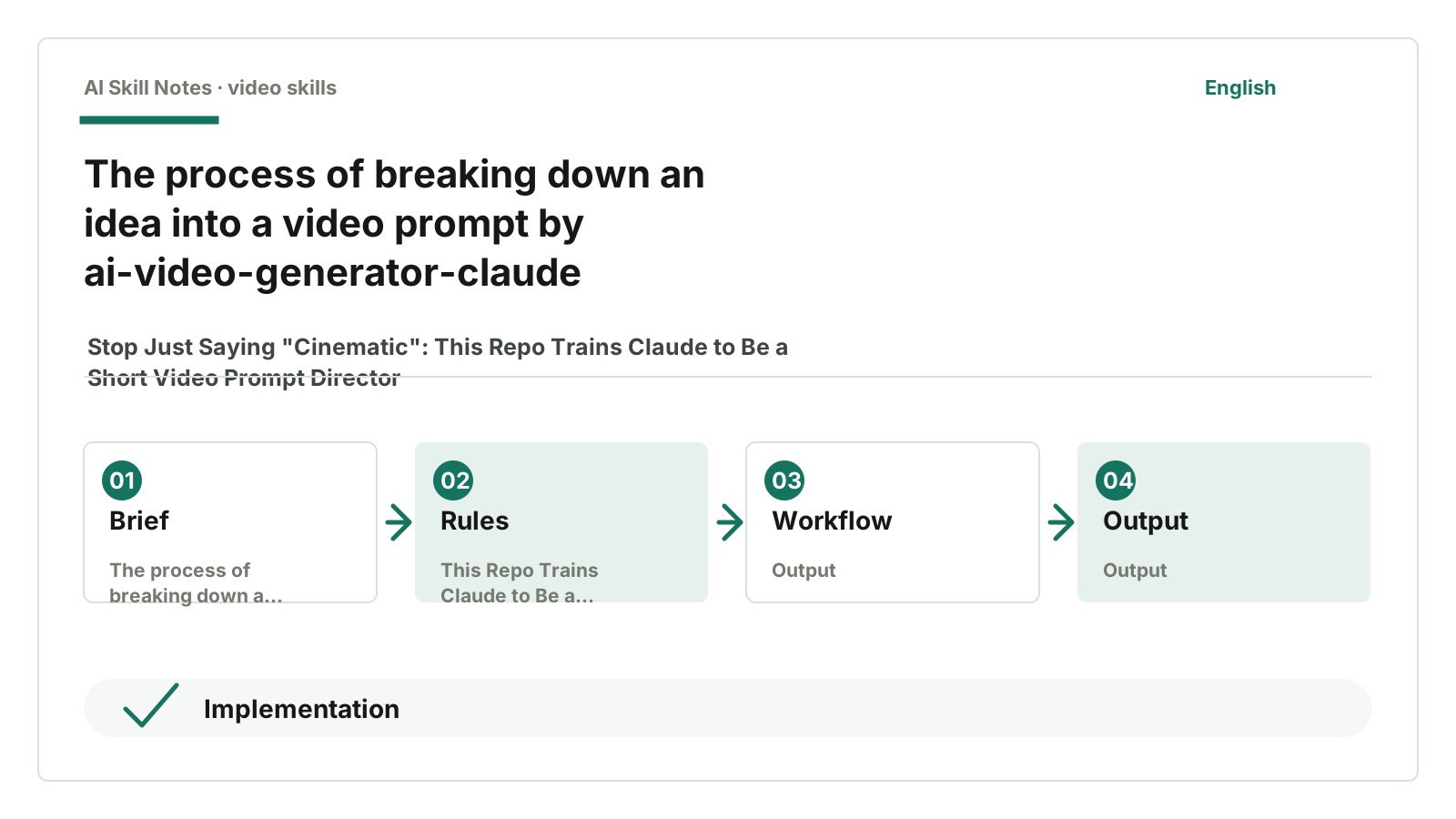
First determine video type.
Then pick a hook.
Then write shots.
Then write lighting.
Then write sound.
Then adapt to platform ratio.
The clearer the intermediate steps, the less likely AI will fall back to vague terms like “high-end, cinematic, stunning.”
3. Its install script is very simple
There’s also an install.py script.
It doesn’t do anything fancy, mainly three things:
- Scan directories under
skills/that containSKILL.md. - Read the first H1 title from each
SKILL.mdand show to the user. - Copy the selected Skill to Claude’s skills directory.
On macOS it defaults to:
~/Library/Application Support/Claude/skills
On Linux it defaults to:
~/.config/Claude/skills
This shows how simple the underlying system is: these Skills are essentially a set of installable rule files. Their usefulness comes from how detailed the video production experience is written in each SKILL.md.
For most readers, no need to run commands yourself.
The repo is here:
https://github.com/rediumvex/ai-video-generator-claude
Just give this URL to an AI and say:
Help me install the Claude video generation Skills from this repo.
After installation, don’t just say “help me generate a video prompt.” Be clear about platform, duration, materials, and goals.
You can ask like this:
Use the SaaS Launch Skill.

I want to make a 10-second product launch video.
Product: AI meeting summary tool.
Target platforms: WeChat Channels and Reels, vertical.
Materials: product homepage screenshot, logo, a meeting audio clip.
I want the first 2 seconds to show “post-meeting hassle,” then cut to the product interface auto-generating the summary.

Please generate a prompt usable in Higgsfield Seedance 2.0.
This kind of input gives it room to work.
4. Few public reviews, mostly look at source code
I searched for public feedback but didn’t find solid, detailed reviews. This repo currently feels like the author open-sourcing their own Claude Skills, and the README says these Skills come from the author’s own production process.
GitHub API data as of July 17, 2026: 278 stars, 37 forks, 0 open issues. This only shows a small group is interested, not proof of effectiveness.
So I don’t rely on “community praise.” What’s worth seeing is how it breaks down short video prompts in detail.
5. How to build your own set
This structure is easy to adapt.
You don’t have to use Seedance 2.0 or make English short videos. You can write sets for Chinese WeChat Channels, Xiaohongshu, Bilibili, or product demos.
A minimal version can be broken down like this:
Scenario: WeChat Channels product launch short video

Input:
- What the product is
- Who the audience is
- Video length
- Target platform
- Available materials
- Must-have information

Workflow:
1. Determine video type: product launch / tutorial / talking head clip / before & after
2. Pick a hook: pain flashback / one-click change / contrast before & after / suspense opening
3. Write 0-2 seconds: visuals, sound, subtitles, shots
4. Write 2-8 seconds: how the product appears, UI movement
5. Write 8-12 seconds: results and closing
6. Add platform ratio, subtitle safe zones, material references

Output:
- A prompt copyable to video models
- A narration or subtitle script for editing tools
- Notes on where user materials are needed
Key constraints should be clear too.
For example:
Don’t just write “high-end.”
Each shot must have a timestamp.
If there’s sound, specify when it comes in.
Use @material[name] to reference materials.
WeChat Channels vertical default 9:16, subtitles avoid bottom button area.
This works better than just saying “make it more cinematic.”
“Cinematic” is a result, not a method.
6. My conclusion
This repo is suitable for people already experimenting with AI video.
If you haven’t used Higgsfield, Seedance 2.0, or don’t have reference images, product screenshots, or audio clips ready, it might feel a bit ahead of its time. It won’t do editing or material handling for you.
But if you’ve been frustrated by “high-end” prompts, it’s worth a look.
Its biggest insight isn’t the 10 categories, but how it writes Skills: don’t leave aesthetics to the model’s guesswork; break it down into shots, timing, sound, materials, and platform.
If you just want to use it:
Give the GitHub URL to an AI, have it install the Claude video generation Skills, then trigger with specific video tasks.
If you want to learn to write your own:
Pick a video scenario first; don’t start with a “universal video Skill.” The narrower the scenario, the more detailed the rules can be.
How you can write your own Skill
Applicable scenario: generating video model prompts for a certain type of short video.
Trigger conditions: user mentions platform, video type, reference materials, duration, or target audience.
Input: product/person/theme description, target platform, material references, video length, style preferences.
Output: a complete prompt copyable to video generation tools, preferably with notes on missing materials.
Workflow: clarify goals first, pick a hook, then write timeline, shots, sound, and platform adaptation.
Key constraints: don’t just write style words; each shot must have timing, camera movement, lighting, sound, and material references.
Optional tools: Claude Skill, Seedance 2.0, Higgsfield, reference images/videos/audio.
Possible adaptations: turn these 10 English scenarios into versions better suited for Chinese WeChat Channels, Xiaohongshu, Bilibili, and product demos.