When I write for my public account, what I fear most isn’t typos.
Typos are easy to fix with a quick scan.
What’s more troublesome is that feeling where “every sentence seems correct, but the whole article doesn’t feel human-written.”
Starting with a broad background.
In the main text, phrases like “core value” and “key path” pop up frequently.
After finishing a section, there’s always a sentence like “this also illustrates something.”
At the end, it’s elevated again, as if without a grand conclusion it’s incomplete.
Many people describe the AI flavor as this kind of feeling.
It’s not necessarily wrong, but it’s often hollow. It looks polite, structured, and summarized, yet feels distant from real people and events.
The shuorenhua Skill is specifically designed to handle this kind of Chinese AI flavor.
It doesn’t aim to make the article more ornate, nor does it rely on swapping a few “sensitive words.” Instead, it first identifies which facts, terms, filenames, and citations must remain untouched, then addresses empty backgrounds, fake summaries, engineer tone, translation tone, and performative transitions.
I previously wrote an introductory article about shuorenhua.
After finishing it, I read it myself and found the issues quite typical: the reasoning was there, the structure complete, but some parts still felt like “introducing a tool” rather than me sharing a real revision experience.
So this time, I decided to take my own draft and revise it.
You’ll see exactly what it changed, which parts should be touched, and which parts shouldn’t be messed with.
This is more practical than just saying “remove AI flavor.”
1. It Protects Information First, Then Changes Tone
shuorenhua deals with template feel, performative tone, and register drift in Chinese texts.
Its repository is here:
https://github.com/MrGeDiao/shuorenhua
There’s a sentence in the repo that perfectly sums it up:
Protect information first, then talk about style.
This is not just a slogan.
Many AI flavor removal tools start by aggressively rewriting. After that, sentences flow better, but facts drift. Version numbers disappear, filenames get changed, responsible parties switch, and original judgments are rewritten differently.
That’s not polishing.
That’s ruining the draft.
So what it solves isn’t “how to make sentences prettier.”
It solves: how to pull a seemingly complete but hollow Chinese text back to real people, real events, and real judgments.
2. Let’s Look at the Revision Diff of My Article
I saved the previous draft and then revised it using shuorenhua’s approach.
Below is not the full diff, just a few representative changes.
- 中文去 AI 味,先看这个 Skill:shuorenhua
+ 我用 shuorenhua 改了一遍自己的稿子
The title changed first.
The original title sounded like a tool recommendation. The new title starts with an action: I really used it to revise my own draft.
This makes it easier for readers to know what the article will be about.
- 所以我更愿意把 `shuorenhua` 当成一个中文审稿 Skill 来看。
- 它会提醒你哪些词像 AI,也会先判断这段文字是什么场景,再决定该怎么改。
+ `shuorenhua` 下手稳。
+ 它先看哪些东西不能动,再去处理那些空背景、假总结、工程师腔、翻译腔和表演式过渡。
Here, the explanatory tone “I prefer to see it as…” was removed.
It directly states what it does.
- 这一步很朴素,也很要命。中文写作最怕一把尺子量到底。
+ 这一步看起来普通,但管用。中文改稿最怕一把尺子量到底。
“Very critical” was a bit strong.
Changed to “effective,” which sounds less dramatic.
- 你会很快看出来:这类 Skill 真正有用的地方,不在“把句子变漂亮”。
- 它会让你发现,哪些话其实可以不说。
+ 用完以后,你会更清楚地看到一件事:
+ 有些句子不是写得不够好。
+ 它们根本不用写。
Here the original judgment is preserved but split into shorter sentences.
It reads more like spoken language and has better pauses.
This diff illustrates shuorenhua’s effect: it doesn’t make the article more ornate; it lowers the performative tone.
3. How to Use It
Installation is simple.
Give this GitHub address to your AI:
https://github.com/MrGeDiao/shuorenhua
Then say:
Help me install the shuorenhua Skill from this repo.
After installation, you can use it like this:
Please use shuorenhua to check the following public account draft.

Requirements:
1. First mark where the AI flavor is.
2. Then provide a version ready for direct publication.
3. Do not change facts, terms, commands, paths, version numbers, or citations.

[Paste your draft]
If you only want to see the issues first and don’t want a rewrite yet, add:
Only mark problems, do not rewrite yet.
I recommend using it this way first.
Diagnose first, then decide whether to revise. This avoids AI over-editing.
4. Why It’s More Reliable Than Ordinary “Remove AI Flavor” Prompts
After reading the source code, I think shuorenhua’s three most valuable features are:
First, it edits by scenario.
The same phrase “help me optimize” should be handled differently in chat, technical status updates, documentation, and public articles.
Chats should be shorter and casual.
Technical status updates must keep timelines, actions, results, and risks.
Documentation must be accurate and searchable, without messing up terms for the sake of naturalness.
Public articles should suppress empty backgrounds and fake elevation but keep the author’s own rhythm.
shuorenhua divides scenarios in SKILL.md into four categories:
chatstatusdocspublic-writing
It also recognizes finer sub-scenarios like README, release notes, forum posts, and issue replies.
This step looks simple but is effective. Chinese editing most fears using one-size-fits-all.
Second, it first marks protected zones.
The easiest thing to mistakenly change when removing AI flavor is facts, not adjectives.
For example, these should not be changed by default:
- Commands
- Paths
- Version numbers
- Error messages
- Interface names
- Field names
- Original quotations
- Fixed phrases in technical reports
- Who did what and who is responsible
shuorenhua first identifies these protected spans, marking places that must not be changed.
This is especially useful for technical articles.
Public accounts often mention repo names, filenames, configurations, commands, and APIs. AI tends to “polish” these too, making them more Chinese but less factual.
Third, it separates “rewrite intensity” from “sentence deletion.”
Many people trying to remove AI flavor face two results:
One is too light edits, leaving empty talk.
The other is too heavy edits, turning a 2000-word article into 900 words, losing pacing.
Besides light, medium, and heavy levels, shuorenhua also decides whether sentences can be deleted.
It has three scopes:
structural: can delete sentences, merge sentences, adjust structure.bounded: default for long articles, only marks empty sentences as “suggested for deletion” for author confirmation.in-place: no sentence deletion, only tones down inside sentences.
Long public articles benefit from this design.
You write 3000 words but don’t necessarily want AI to cut it to 1500. You might just want to know which sentences are truly empty and can be deleted without losing info.
bounded does exactly that.
5. How It’s Actually Implemented
To be clear: shuorenhua is mainly a rule- and workflow-based Skill.
I didn’t see a dedicated CLI for rewriting Chinese behind it, nor Python scripts processing text.
It mainly relies on these files:
SKILL.md: main rules, defining when and in what order to edit.references/protected-spans.md: what must not be changed.references/operation-manual.md: specific micro-operations like deleting clichés, changing subjects, lowering tone.references/structures.md: structural AI flavor like empty summaries, binary contrasts, three-part structures.references/scene-packs.md: how to handle README, release notes, forum posts, issue replies.evals/benchmark.mdandevals/real-samples.md: test cases and real samples to check if rules go off track.
So it’s not a “magical rewrite button.”
It’s more like a detailed editing process.
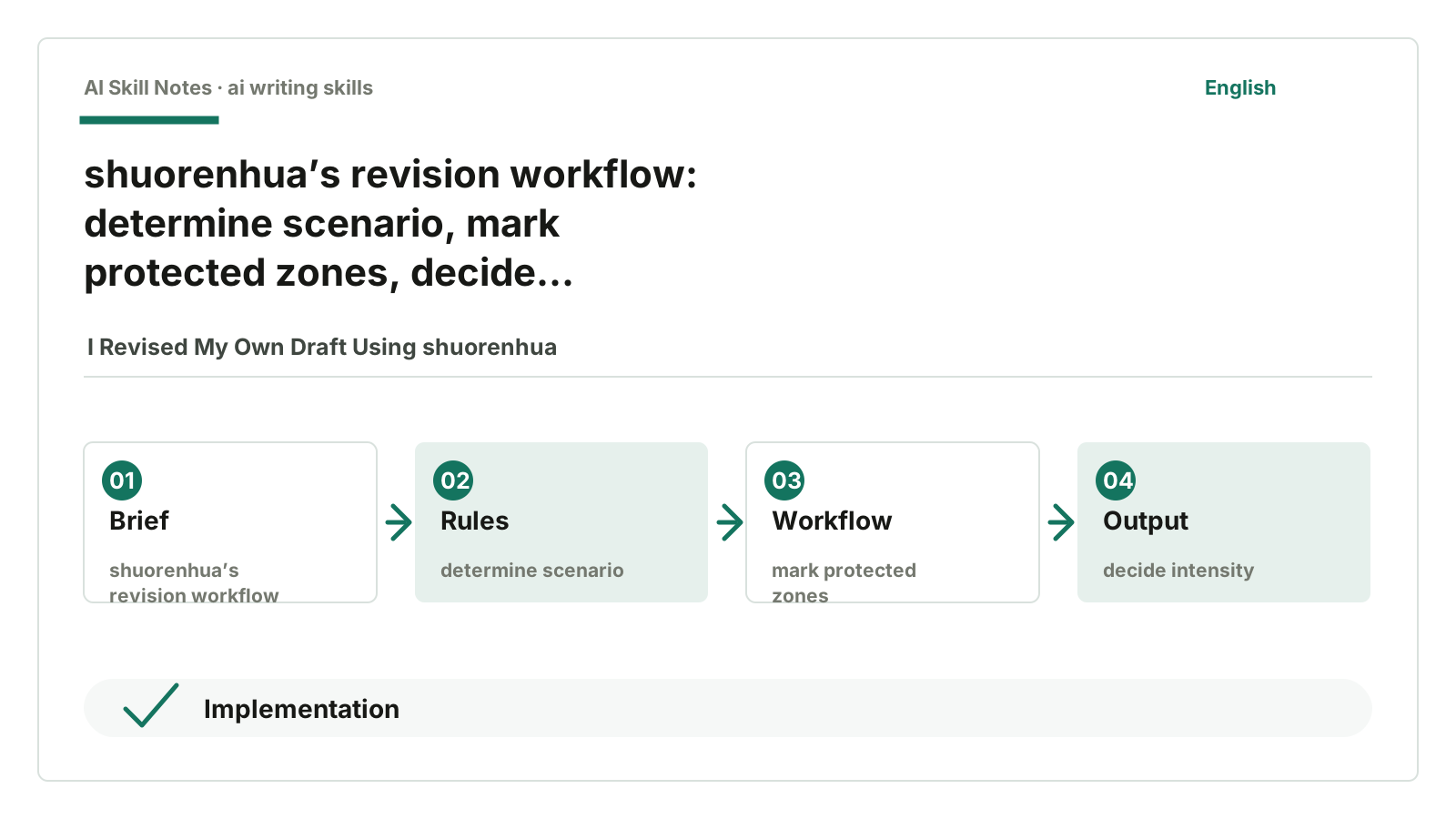
For this article, it first determines the scenario.
This is a public article, so the main scenario is public-writing.
Then it marks what can’t be changed.
For example, shuorenhua, SKILL.md, protected-spans.md, GitHub URLs, installation prompts — these must not be renamed.
Next, it checks problem density.
A few sentences with clichés get light edits. Whole paragraphs full of posturing get heavier edits.
Then it considers whether sentences can be deleted.
This is a long article, so it’s not suitable for AI to delete or heavily restructure by itself. A safer approach is to keep the structure and list empty sentences for the author to confirm deletion.
Finally, it rereads.
Check if facts are lost, terms drifted, tone skewed, or protected zones mistakenly changed.
This process isn’t mysterious.
Good Skills shouldn’t be mysterious. They break down what used to be guesswork into executable steps.
6. If You Want to Write a Similar Skill
Don’t start with:
Please make the text more natural.
This is too vague.
You can learn from shuorenhua’s structure.
First, define trigger conditions.
When should this Skill be used? Trigger when users say “remove AI flavor,” “speak human,” “more natural,” or “don’t sound templated.” Don’t trigger when users want fact-checking, word-for-word translation, or to keep official tone.
Then define scenarios.
Even for rewriting, chat, docs, and public articles are different. At least clarify which text types this Skill serves.
Then write protected zones.
What must never be changed? Especially in technical articles: commands, paths, version numbers, error messages, field names, original quotes.
Next, write the workflow.
Don’t just give principles, give the order:
Determine scenario
Mark protected zones
Assess problem density
Choose rewrite intensity
Decide if sentences can be deleted
Execute rewrite
Reread and check
Output result
Finally, prepare samples.
Without samples, a Skill easily becomes a slogan. Provide examples of what should be changed and what shouldn’t.
The latter is more important.
Changing is easy; avoiding collateral damage is hard.
7. How to Adapt It to Your Own Version
If you also write public articles, you can add your own style constraints on top of shuorenhua.
For example, my public account adds these rules:
- Start from specific pain points, not broad backgrounds.
- Use fewer neat transitions.
- Technical breakdowns must describe real implementations, no fabrications.
- When explaining Skill installation, give the repo URL first, then the AI installation prompt.
- When uncertain about implementation, say “I didn’t see this,” don’t guess.
This way, shuorenhua handles removing general AI flavor, and your own rules keep your column’s style.
It’s best to write these separately.
General Skills manage commonalities; personal guidelines manage preferences. Separating them makes maintenance easier.
8. A Copy-Paste Action You Can Use
Find a recent draft you wrote and paste it to AI:
Please use shuorenhua to review this text.

First determine if it belongs to chat, status, docs, or public-writing.
Then mark the top 5 most AI-like parts.
Then provide a rewritten version.

Note:
Do not change facts, terms, links, filenames, version numbers, or citations.
If a sentence is just empty talk, list it as suggested for deletion, don’t delete directly.

[Paste draft]
After using it, you’ll see more clearly:
Some sentences aren’t poorly written.
They simply don’t need to be written.